How to play Sonic 06 on PC with the fan-made port
Published on · Updated on
Marathon Recompiled hits 1.0 and runs Sonic the Hedgehog (2006) on PC using your own Xbox 360 files; here are the requirements and install steps.
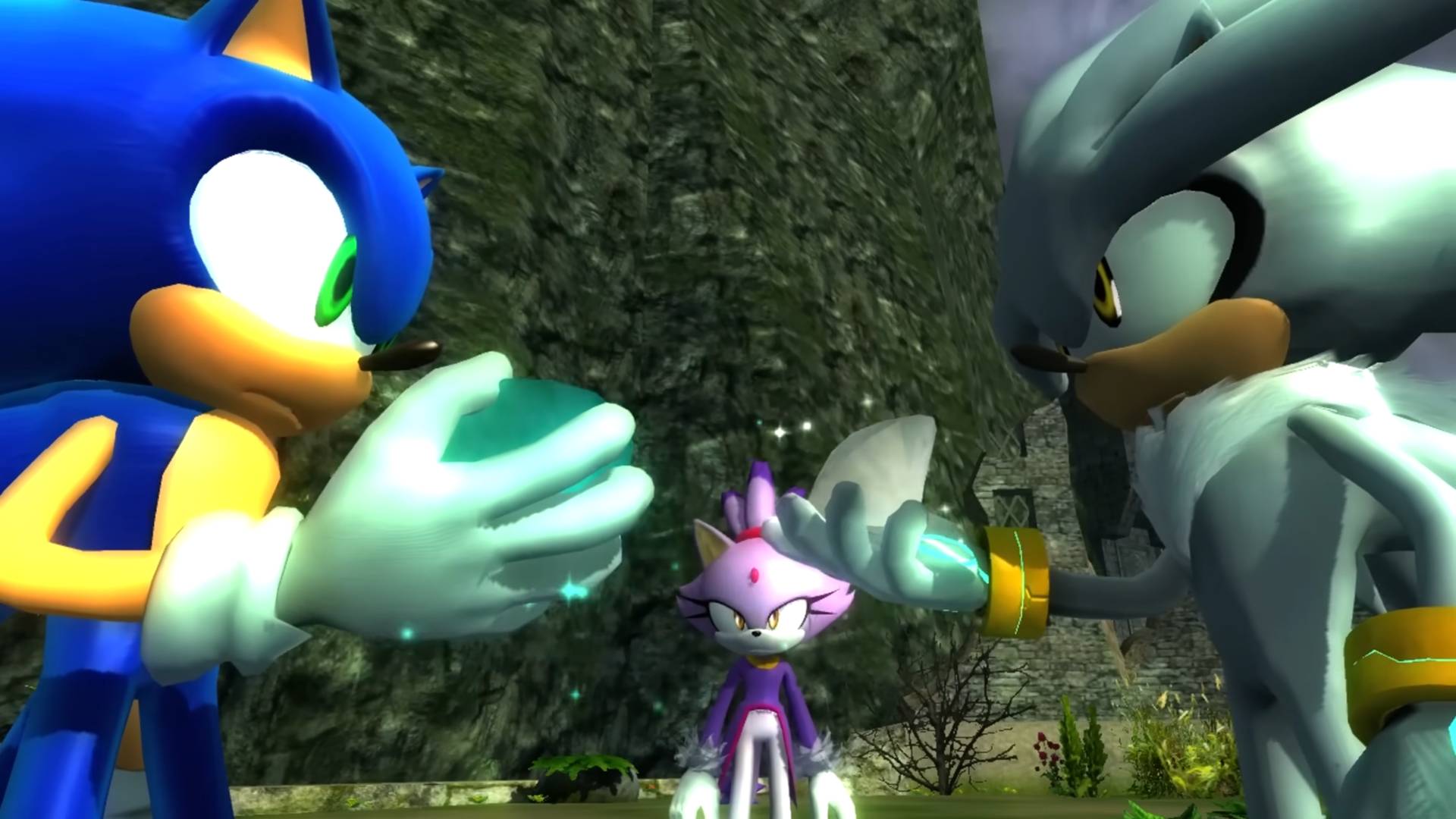
Sonic the Hedgehog (2006) is playable on PC again. The fan-made Marathon Recompiled project released version 1.0 on November 14, 2026 — exactly 20 years after the game debuted on Xbox 360 — and it installs on Windows, Linux and macOS. The catch is the usual one: you must supply the files from a legally acquired copy of the game, because the port ships no Sega assets. Below is the step-by-step install guide, where to download it safely, and what to expect from the community build, which deliberately preserves the flaws that made Sonic 06 one of the most controversial games in the franchise.
What Marathon Recompiled is
Marathon Recompiled is a static recompilation of the Xbox 360 version of Sonic the Hedgehog (2006). Instead of emulating the console, the project converts the original PowerPC code into runnable C++ and the Xenos shaders into HLSL, using two tools built by the community itself: XenonRecomp and XenosRecomp. The stated inspiration is N64: Recompiled, the project behind ports such as Zelda 64: Recompiled.
The result is a native executable with support for Windows, Linux and macOS. According to the official repository description, the project includes no game files at all: "this project does not include any game assets. You must provide the files from your own legally acquired copy of the game to install or build Marathon Recompiled."
"Marathon Recompiled is an unofficial PC port of the Xbox 360 version of Sonic the Hedgehog (2006) created through the process of static recompilation."
The team is led by ga2mer, creator of the recompilation, with Isaac Marovitz and squidbus as graphics programmers, Hyper handling system-level features such as achievements and custom menus, Rei-san and Desko behind the quality-of-life patches, and LJSTAR on the visual identity. Additional contributors translated the custom menus into French, Japanese, German, Spanish and Italian — there is no Portuguese localization.
The release ends two decades of Xbox 360 and PlayStation 3 exclusivity. It follows the same playbook the community applied to Sonic Unleashed, which also received a fan-made PC port with higher frame rates and ultrawide support.
Where to download it safely
The project's first instruction is also the most important one: there is only one legitimate place to download Marathon Recompiled, the GitHub releases page. The team has no official website and states, in bold letters, that it does not distribute builds through other sites, Discord servers or third-party update tools.
"Do not download builds of Marathon Recompiled from anywhere but our Releases page. We will never distribute builds on other websites, via Discord servers or via third-party update tools."
Version 1.0.0 went live on November 14, 2026 with five packages: Windows x64, Windows arm64, macOS arm64 and two Flatpaks (x86-64 and arm64) for Linux. Within the first hours, the Windows x64 package alone passed 7,500 downloads, and all assets combined topped 10,000 — a remarkable figure for a preservation project that requires a physical or digital copy of the original game.
| Package | Size | Best for |
|---|---|---|
| Windows x64 | 37.9 MB | Windows 10 or 11 PCs |
| Windows arm64 | 41.4 MB | Snapdragon laptops and similar |
| macOS arm64 | 39.1 MB | Apple Silicon Macs (M1 or newer) |
| Flatpak x86-64 | 24.0 MB | Linux and Steam Deck |
| Flatpak arm64 | 23.8 MB | Linux on ARM |
Minimum PC requirements
Despite its reputation as a broken game, Sonic 06 is not light on paper: the recompilation requires a GPU with modern graphics API features. Here is the official list:
| Component | Minimum |
|---|---|
| CPU (x86) | 64-bit with AVX support — Intel Sandy Bridge (2nd generation) or AMD Bulldozer |
| CPU (ARM) | 64-bit ARMv8 |
| GPU | Direct3D 12 (Shader Model 6), Vulkan 1.2 or Metal 3 — GeForce GT 630, Radeon HD 7750, Intel HD 510 or Apple M1 |
| Memory | 8 GB of RAM |
| Operating system | Windows 10 (build 1909), a modern Linux distro (Ubuntu 26.04 LTS) or macOS 15 and newer |
| Storage | 6 GiB free |
The release notes carry a specific warning for Intel and AMD GPU owners: outdated drivers may cause crashes and graphical glitches. Intel users are told not to trust their operating system's update checker and to grab the latest driver straight from Intel's website. On Steam Deck, the recommendation is the x86-64 Flatpak.
Step by step: how to install
- Have a legal copy of the game. A retail disc or a digital copy of Sonic the Hedgehog (2006) for Xbox 360 both work. All DLC is optional.
- Dump the files from the console. The project publishes English guides for dumping an Xbox 360 hard drive, a USB storage device or a disc through OmniDrive. For the hard drive you need a transfer cable — gray models only work with the original 360, while black ones also support the 360 S and E.
- Download the release from GitHub and extract it into the folder where the game will live.
- Run the executable. A graphical installer walks you through the process and asks for the files obtained in step 2.
- Choose between "Add Files" and "Add Folder". The first option only accepts containers or images dumped from an Xbox 360, even when the file has no extension — the installer detects the content. The second accepts only a directory with the raw files already extracted (.xex, .ar.00, .arl and similar) and does not scan for compatible content.
- Wait for the installation to finish. The process builds the game data from your original files. The installer music was produced by Hotline Sehwani and SilverIceSound, based on Tomoya Ohtani's original track.
Three common mistakes make the installer reject your files: providing compressed archives (.zip, .7z, .rar), mixing content from different regions (disc and title update must match) and trying to use modified files. The installer only accepts original, unmodified files. It is also impossible to use the PlayStation 3 version: those files use a proprietary format and would require a separate recompilation. The relevant PS3 differences were included as options instead.
"Please note that it is not possible to complete the installation if your files have been modified. In case of other problems such as black screens or crashes, do not try to reinstall the game as it is not possible for the process to result in an invalid installation."
What to expect from the community build
Anyone hoping for a "definitive" Sonic 06 should adjust their expectations. The original game's bugs were preserved on purpose: the goal is to archive the game's history, not to sanitize it. Slippery movement, falling through the scenery and sluggish controls are all still there — and reports of issues that also happen on original Xbox 360 hardware will be rejected by the team.
Even so, the port is not a raw emulation. It adds custom menus, achievement support and a set of optional patches for the original's annoyances, which can be enabled in the configuration file or through the debug settings. That hidden menu is unlocked on the title screen with the sequence up, down, left, right on the D-pad — a jingle plays and a new section appears in the options.
Keyboard play works, but the project itself recommends a gamepad until action remapping arrives in a future update. The default bindings are:
| Gamepad button | Key | Mouse |
|---|---|---|
| A | Space | — |
| B | Escape | — |
| X | Left Shift | Left click |
| Y | E | — |
| Start | Return | — |
| L/R triggers | Q and F | Middle and right click |
| Left stick | W, A, S, D | — |
Saves, updates and Steam Deck
Saves and the config.toml file live in %APPDATA%\MarathonRecomp\ on Windows, $XDG_CONFIG_HOME/MarathonRecomp/ on Linux (inside ~/.var/app/io.github.sonicnext_dev.marathonrecomp/config/MarathonRecomp/ for the Flatpak) and ~/Library/Application Support/MarathonRecomp/ on macOS. Anyone who prefers everything inside the game folder can create an empty file named portable.txt — and takes responsibility for backing it up.
Updating is simple: copy the files from the new release over your installation. Saves and configuration survive, and the game data does not change between versions. If you ever need to run the installer again, the --install launch argument forces the process.
On Steam Deck, the Flatpak is the recommended route. There is one Game Mode limitation: the file picker may refuse to open because of desktop environment restrictions. The fix is to boot the device in Desktop Mode at least once to enable the picker — and, if you want, complete the whole installation there. In the Flatpak, game data goes to ~/.var/app/io.github.sonicnext_dev.marathonrecomp/data.
Another common confusion: if the game detects a PlayStation controller as an Xbox controller, the recommendation is to disable input translation layers such as DS4Windows or Steam Input. There are no plans to support platforms beyond Windows, Linux and macOS — anyone who wants more should fork the project.
For preservation researchers and for anyone who grew up with the 360/PS3 generation, Marathon Recompiled is a milestone: a game that never had a PC version now runs natively, with achievements, custom menus and the option to fix some of the most annoying flaws yourself. For players who just want a polished Sonic, the warning still applies — the game sits at 46 on Metacritic and is remembered precisely for its chaos.
The practical advice is simple: download only from the official GitHub, prepare your Xbox 360 copy carefully, check that the files match in region, and do not reinstall at the first crash. Do that and the port delivers exactly what it promises — Sonic 06 as it was, for better and for worse. If you want to follow other preservation efforts and community releases, check the games section of O Santuário Geek and revisit the fallout from the official Sonic Discord, which descended into chaos hours after opening.
With information from TheGamer and the official Marathon Recompiled repository.