Xbox at 25: how to claim 25 free games on PC
Published on · Updated on
Buy and activate a new Windows PC in the US by December 31 and you can claim 25 games in the Microsoft Store. See the deadlines, the rules and the steps.
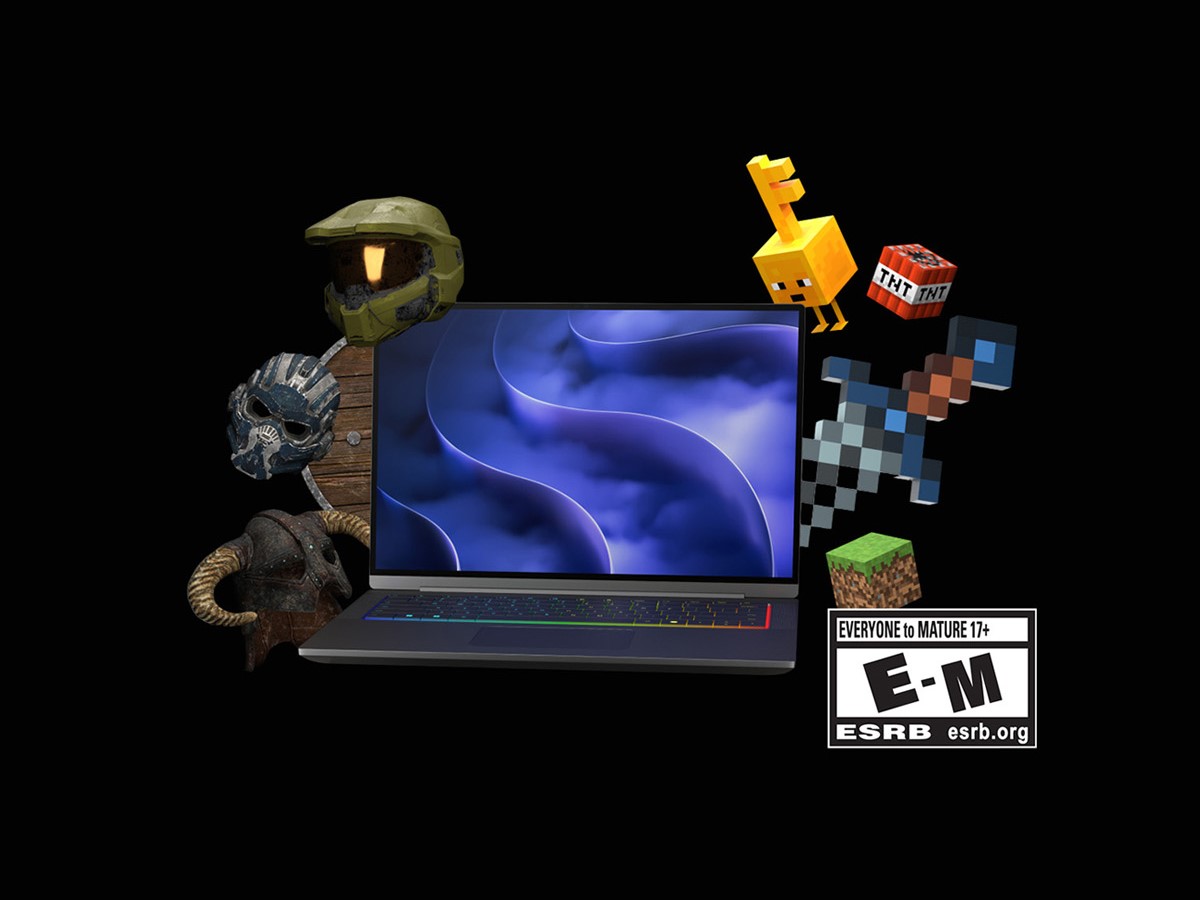
Microsoft is giving away 25 digital games to anyone who buys and activates a new qualifying Windows PC in the United States between November 2 and December 31, 2026. The collection, called the 25 Years of XBOX Bundle, marks Xbox’s 25th anniversary, does not require a Game Pass subscription and must be claimed in the Microsoft Store by February 12, 2027. The promise is generous, but the conditions are narrow: the offer is limited to people aged 13 or older who live in the US, buy from a participating retailer and activate the device on American soil.
The promotion was announced on October 15 in the Windows Experience Blog and later detailed in Microsoft’s official terms and conditions. According to the company, the bundle is worth more than $500 and ranges from classics such as Halo: Combat Evolved Anniversary and The Elder Scrolls V: Skyrim Special Edition to more recent titles like Gears of War: Reloaded and Call of Duty: WWII.
What the 25 Years of XBOX Bundle is
The original Xbox launched in the United States on November 15, 2001. Twenty-five years later, Microsoft turned the date into an anniversary campaign that includes a special-edition console, commemorative items and a PC game collection. The bundle is the part that matters to anyone buying a new computer: instead of coupons or discounts, the company adds permanent digital licenses to the Microsoft account used to activate the device.
This is not a Game Pass promotion. The games are individual digital licenses tied to the Microsoft Store and the Xbox app, and they stay in the account even if the subscription never exists. There is also no code to type: the bundle shows up automatically in the Microsoft Store library of the eligible PC, under “Included with device”.
The fine print, however, makes clear that the set cannot be split. All 25 titles have to be claimed at once, as a bundle, and remain tied to the same Microsoft account used to activate the computer.
“The Promotional Games must be claimed as a bundle, and, once claimed, will be added to and remain associated with the same Microsoft account used to activate your Eligible PC and claim them.”
Who qualifies: the five requirements
Microsoft sums up eligibility in five cumulative conditions. Failing any one of them voids the bundle, even if the computer is compatible and the purchase happened within the window.
- Age and location: be 13 or older and located in the United States, the “Territory” defined in the terms.
- New qualifying device: buy a new Windows PC that appears on the list of eligible models.
- Authorized retailer: the purchase must be made at a participating retailer or reseller in the US during the offer period.
- Activation in the territory: the PC has to be activated in the United States, within the period, using a valid Microsoft account.
- Claim on the same account: the bundle must be claimed by the deadline using exactly the account used for activation.
According to the terms, eligible devices include new PCs and handhelds with Windows Home preinstalled, plus new Windows Pro PCs running on NVIDIA RTX Spark silicon. Other Windows Pro machines are excluded. Microsoft also rules out refurbished, open-box, returned and demo units, as well as purchases from marketplaces, liquidators, auction sites, unauthorized resellers or commercial and enterprise channels.
The limit is one per account: even if someone buys two or three eligible PCs during the period, the bundle can only be claimed once. And because the games are locked to the account, there is no way to share the set with friends or family.
“There’s never been a better time to start playing games on Windows. And to celebrate 25 years of XBOX, starting this November, eligible Windows 11 PC purchased in the US can claim a collection of 25 fan-favorite games at no additional cost.”
The dates that matter
The schedule has four milestones, and none of them is flexible. Because the times are given in UTC, readers in other time zones should convert them when a deadline falls near midnight.
| Date (UTC) | What happens |
|---|---|
| November 2, 2026, 00:00 | The purchase and activation window for eligible PCs begins. |
| November 30, 2026, 23:59 | Deadline for the bundle to appear in the Microsoft Store on qualifying devices. |
| December 31, 2026, 23:59 | End of the offer period — or earlier, if participating retailers run out of eligible PCs. |
| February 12, 2027, 23:59 | Final deadline to hit “Claim” and redeem the 25 games. |
In practice, someone who buys the PC in November may have to wait until the end of the month for the bundle to show up in the library. Those who buy in December should pay attention: activation must happen by December 31, but the claim can wait until February. There is no need to redeem on the same day as the purchase.
Step by step to claim the games
- Buy in the right place. Pick a PC from the eligible list at a participating retailer in the United States. Keep the receipt: Microsoft may ask for proof of purchase, date, retailer and device serial number.
- Activate Windows with the final account. Use the Microsoft account where you want the games to stay forever. Switching accounts later does not transfer the licenses.
- Confirm activation. Go to Settings > System > Activation and check that Windows is activated. The bundle is tied to the device and the account used at this stage.
- Open the Microsoft Store. On the eligible PC, launch the Microsoft Store app and go to Library.
- Open “Included with device”. The section lists digital offers tied to the device. Find “25 Years of XBOX Bundle”.
- Select “Claim”. Confirm that the displayed account is the one used for activation and claim the full bundle.
- Download what you want. The licenses appear in the Microsoft Store and Xbox app libraries. Each game is downloaded individually, and file sizes vary widely.
Can’t find the bundle? What to check
If “Included with device” is empty, the first step is to update the Microsoft Store: in Library, look for “Get updates”. Then confirm three things: the account signed into the Store is the one used for activation, Windows is activated and the purchase date falls inside the period. Restarting the PC and waiting also helps — Microsoft only guarantees the bundle will appear by November 30, so purchases made in late December may take a few days to reflect the offer.
If nothing works, the next step is official Xbox support for Digital Direct offers, with the PC, the account and the purchase details at hand. The help page explains how to find digital offers on console and PC.
The 25 games in the bundle
The official terms list has 25 rows, but two of them often cause confusion in coverage. In Microsoft’s table, DOOM and DOOM II appear as a single item (“DOOM + DOOM II”), while Age of Empires III: Definitive Edition is part of the bundle. As a result, some outlets count 25 titles by listing both DOOM games separately and omitting the third Age of Empires — which is what the Notebookcheck report that broke the story does. The list below follows Microsoft’s own document.
| # | Game | ESRB rating |
|---|---|---|
| 1 | The Elder Scrolls V: Skyrim Special Edition | Mature 17+ |
| 2 | Halo: Combat Evolved Anniversary | Mature 17+ |
| 3 | Age of Empires II: Definitive Edition | Teen |
| 4 | Minecraft Dungeons | Everyone 10+ |
| 5 | Gears of War: Reloaded | Mature 17+ |
| 6 | Call of Duty: WWII | Mature 17+ |
| 7 | The Elder Scrolls Online: Standard Edition | Mature 17+ |
| 8 | Fallout 76 | Mature 17+ |
| 9 | DOOM + DOOM II | Mature 17+ |
| 10 | The Elder Scrolls IV: Oblivion Game of the Year Edition | Mature 17+ |
| 11 | Age of Mythology: Retold | Teen |
| 12 | Quake | Mature 17+ |
| 13 | Age of Empires III: Definitive Edition | Teen |
| 14 | Wolfenstein: The New Order | Mature 17+ |
| 15 | The Outer Worlds | Mature 17+ |
| 16 | Rise of Nations: Extended Edition | Teen |
| 17 | Quake II | Mature 17+ |
| 18 | As Dusk Falls | Mature 17+ |
| 19 | Battletoads | Everyone 10+ |
| 20 | Pillars of Eternity II: Deadfire — Ultimate Edition | Mature 17+ |
| 21 | Zoo Tycoon: Ultimate Animal Collection | Everyone |
| 22 | Fuzion Frenzy | Everyone |
| 23 | Gears Tactics | Mature 17+ |
| 24 | Crimson Skies: High Road to Revenge | Teen |
| 25 | BLiNX: The Time Sweeper | Everyone |
Most of the list is more than a decade old and represents franchises Microsoft acquired along the way, including Bethesda and Activision Blizzard. There are also titles that help tell the story of Xbox beyond the console: Age of Empires, Rise of Nations and Zoo Tycoon come from the era when the company tried to establish the PC as a gaming platform — a strategy that, 25 years later, is back at the center of the brand’s plans.
Watch the trailer: the announcement video for the 25 Years of XBOX Bundle shows the games included and is available on IGN’s YouTube channel.
Regional restrictions: the US only, for now
The most important limitation for international readers is geographic. The offer is valid only in the United States, and Microsoft has not announced expansion to Brazil, Europe or Latin America. Buying an imported laptop is not enough: the terms require a purchase from a participating retailer in the territory and activation of Windows in the US, with an account located in the region.
Using a VPN, changing the account region or asking someone to activate the PC in the United States does not work — and may violate the terms. Microsoft says it can check activation status, account, device model and serial number, and may cancel claims it considers fraudulent. Buying an imported PC without a US receipt also creates a practical problem: without proof of purchase from a participating store, there is no way to prove eligibility.
It is worth noting what the specialist press observed. Club386 pointed out that Xbox Ally handhelds do not appear on the list of eligible products published by Microsoft, even though the terms mention “handhelds with Windows Home”. The definitive list of models should be checked on Microsoft’s site before buying, because eligibility is by device, not by category.
For players outside the US, the alternative remains Game Pass, which has its own catalog and different plans — including Essential, which recently added Xbox classics. It is not the same as receiving 25 permanent licenses, but it is the official way to play most of these franchises in other markets.
The fine print: returns, age ratings and compatibility
The terms state that Microsoft may cancel or remove the games if the PC is returned, exchanged, refunded or subject to a chargeback. There is also room for fraud investigations and requests for proof of purchase. In other words, buying the computer just to claim the games and returning it afterwards is not a safe strategy.
There are also three technical limitations that are easy to miss:
- Partial compatibility: some eligible PCs cannot run all 25 games because of hardware or system limits. Requirements for each title are listed on the Microsoft Store page.
- Console play is not guaranteed: some games cannot be played on an Xbox console, even with Play Anywhere support. The license is for PC.
- Age ratings: titles rated Mature 17+ may be blocked for children and teenagers, depending on Windows parental controls and Xbox Family Settings.
Microsoft also reserves the right to replace a game with another of equal or greater value if a title becomes unavailable before the claim. And because the games are digital licenses, they cannot be sold, exchanged, split between accounts or converted into credit.
Is it worth it?
For anyone already planning to buy a new Windows PC or handheld in the United States, the bundle is a meaningful bonus: 25 games that cover almost all of the brand’s PC history, from Halo to Skyrim, and that stay in the account permanently. The extra cost is zero, as long as the device is on the list and the purchase is made in the right place.
For anyone outside the US, the answer is to wait. There is no indication that the promotion will go global, and trying to bypass the regional restriction exposes both the account and the PC to risk. In the meantime, readers can follow Xbox news on O Santuário Geek and check what the brand prepared for the anniversary — such as the batch of classics that joined Game Pass Essential and the retrospective of each Xbox generation.
Anyone building a PC to take advantage of the bundle should also check the requirements of the heaviest games, such as Call of Duty: WWII and Gears of War: Reloaded. A guide to PC requirements for 60 fps helps set expectations before choosing a configuration.
With information from Microsoft (25 Years of XBOX Bundle terms and Windows Experience Blog), Xbox Support, Notebookcheck and Club386.
Suggested and related articles
Xbox Tests Free Ad-Supported Game Streaming; Here's How It Works
How to play Sonic 06 on PC with the fan-made port

Xbox at 25: the highs and lows of every generation
Xbox Playback 2026: who qualifies and how to watch

Harada slams Xbox Series S, fears a 'Helix S' next gen