How to enable the Xbox 25th anniversary background
Published on · Updated on
Xbox's free 25th anniversary dynamic background is available on Series X|S. Here's the full menu path, how to favorite it and what to do if it's missing.
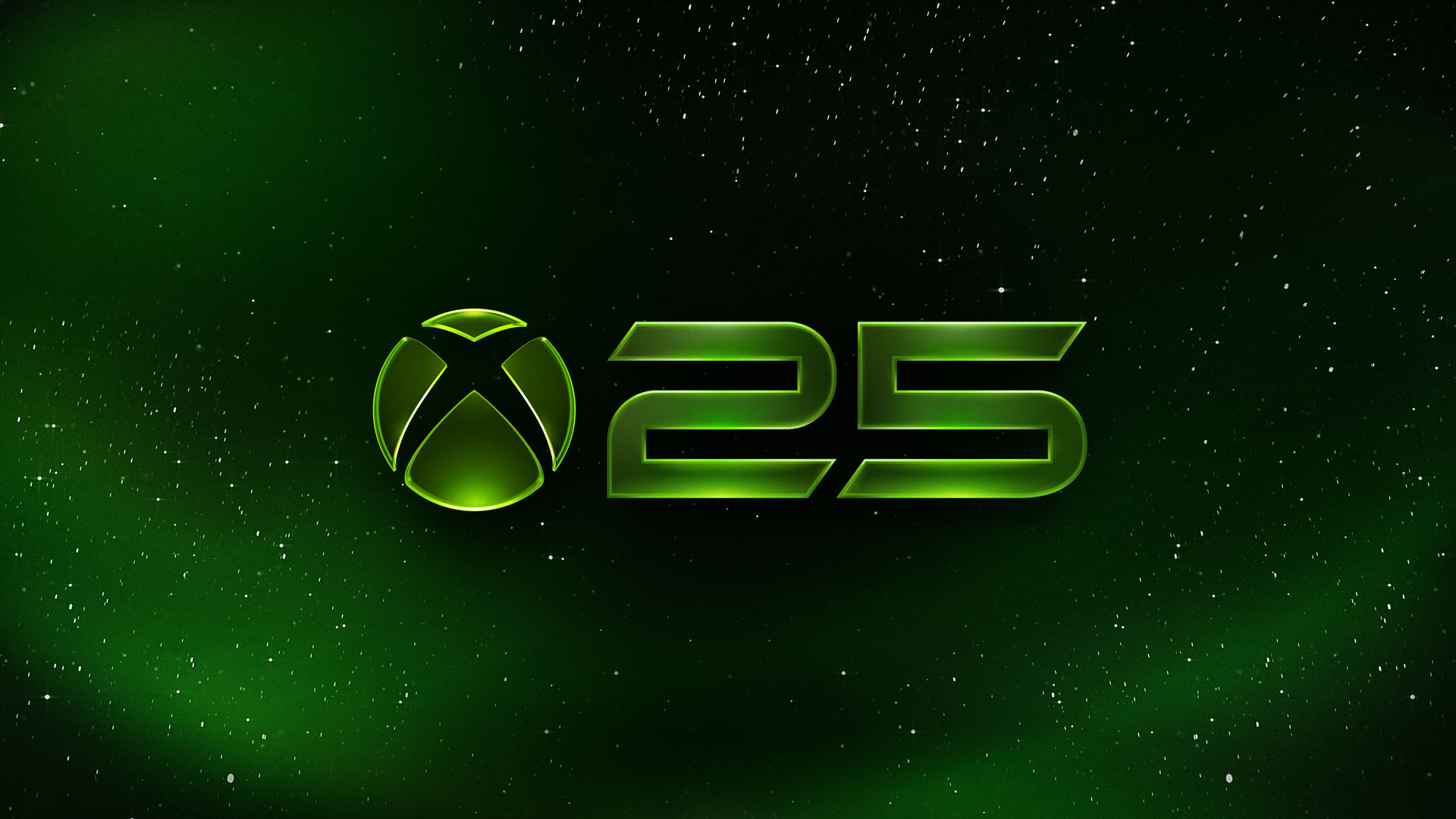
Microsoft has released a new Xbox 25th anniversary dynamic background for Series X|S, and it is free. The "Xbox 25th Anniversary" theme shows the Xbox logo beside the number 25 over a moving starfield and can be applied in seconds from the console menu. The path is Settings > General > Personalization > My background > Dynamic backgrounds. The release lands just before Xbox's 25th anniversary on November 15 and does not require buying the X25 Special Edition controller.
The new option started appearing on consoles on November 12 and was spotted by players and the specialist press that same night. Unlike the background that shipped with the translucent green controller in October, this one is open to anyone with an Xbox Series X or Series S connected to the internet — no code, no purchase and no tie to a specific accessory.
What the Xbox 25th anniversary background is
The theme is short and to the point: the Xbox symbol sits on the left, the number 25 takes the center of the screen and small points of light drift slowly in the background, creating the impression of a green starry sky. The palette echoes the translucent green that defined the original 2001 console and matches the look of the anniversary controller and Series X.
Anyone already using the long-standing "Original" background will recognize the visual language. The difference is in framing and motion: the new theme puts the anniversary at the center of the composition, with the number 25 in the spotlight and a green glow spreading from the edges. It is a restrained background, designed not to compete with the home screen tiles — an important detail for players who spend hours moving between games and apps.
The theme appears in the "Xbox" category of the dynamic background gallery, next to classics such as the Xbox logo itself and franchise artwork. Microsoft has not issued a dedicated announcement about the release, but the addition has been confirmed by users in different regions and covered by the specialist press.
"25 years ago, Xbox set out to bring players together through the games and worlds they love, and today, that mission is still what drives everything we do."
The line, published on the brand's official blog in August, sums up the tone of the celebration: less about the launch of a console, more like a warm memory for people who have followed the platform from the start. The dynamic background fits that register exactly — it is a cosmetic item, but it carries a symbol millions of people recognize.
Step by step: applying the background on Series X|S
The process is short, but the menu has several layers and some screens are renamed with system updates. The path below is the same one Microsoft publishes on the Xbox support page for applying dynamic backgrounds on a console.
- Turn on the console and sign in with the profile you use day to day. The background applies per profile, not to every user on the machine.
- Open Settings. On the home screen, move to the "Settings" tab at the top. If you prefer a shortcut, press the Xbox button on your controller, choose "Profile & system" and then "Settings".
- Select "General". It is the first group of options in the list and holds network, language, power and personalization settings.
- Choose "Personalization". This is where the profile theme, accent color and home screen appearance options live.
- Select "My background". The screen shows your current background and the available categories: custom image, screenshot and dynamic backgrounds.
- Pick "Dynamic backgrounds". On some system versions the option appears as a second step with the same name. Keep going until you reach the category gallery.
- Open the "Xbox" category and find "Xbox 25th Anniversary". Select it with the A button to apply. The change is immediate and does not require a console restart.
Shortcut via the Xbox button
If you do not want to go back to the home screen, the guide route is faster: press the Xbox button, go to "Profile & system", open "Settings" and follow the same sequence from "General". The guide can be opened over a game without closing it, which helps when you just want to change the look before starting a match.
What happens after you apply it
The theme applies to the home screen and the system's background menu. When you open a game, the splash art remains the title's own, and the dynamic background returns when you go back to the dashboard. If several profiles share the console, each one keeps its own choice.
Keep in mind that dynamic backgrounds are a Series X|S feature. On Xbox One, the menu lets you change the background image but does not offer animated themes. The Xbox app for PC and cloud gaming do not include the option either: personalization is console-only.
Cannot find the theme? A troubleshooting checklist
Because the item rolled out gradually, some players may open the gallery and not see the 25th anniversary background on the first try. Before concluding that the theme is unavailable in your region, work through a short list of checks.
- Update the console: go to Settings > System > Updates and check for a pending update. The background gallery is fed by the system and by the connection to Microsoft's servers.
- Restart the console: turning it off and on again forces the theme list to refresh. Simply returning to the dashboard is not always enough.
- Check your connection: if the console is offline or the network is unstable, the gallery may only show themes already stored in cache.
- Look under "Featured" and "Xbox": depending on region and system version, the item may appear in the featured category before it is pinned to the main one.
- Confirm the model: the feature is exclusive to Series X|S. On Xbox One, the dynamic backgrounds option does not appear.
- Wait for the gradual rollout: cosmetic releases usually arrive in waves. If nothing works, try again the next day.
If the theme appears but does not stick after you turn the console off, the problem usually sits with the profile: check that you are signed in with the same user and that cloud sync is active. As a last resort, switching temporarily to another background and then back to the 25th anniversary theme tends to fix the application glitch.
Free background vs. the X25 controller background
There are two different backgrounds tied to the 25th anniversary, and they are easy to confuse. The first arrived in October alongside the Xbox Wireless Controller X25 Special Edition and featured a large 25 logo in the center of the screen with an intense green vignette around the edges. The second is the theme open to everyone, released in November, with a cleaner composition and stars in the background.
| Feature | 25th anniversary background (free) | X25 controller background |
|---|---|---|
| Availability | Every player with a Series X|S | Requires the X25 controller connected |
| Look | Xbox logo + number 25 with moving stars | Large 25 logo with a green vignette at the edges |
| Release | November 12, 2026 | October 2026, with the controller |
| Using it without the accessory | Not applicable | Save it as a favorite in the Insider program |
The controller detail matters for anyone who bought the accessory and wants to keep the look even when it is stored away. With the November update for the Xbox Insider program, you can save the exclusive background as a favorite and keep using the theme without the controller connected.
"If you have a controller with an exclusive background, like the Xbox Wireless Controller X25 Special Edition, saving that background as a favorite lets you use it even when the controller isn't connected!"
How to favorite, shuffle and switch themes
The same update that introduced favorites added a rotation feature. Instead of picking one fixed background, players can set the home screen to change on sign-in or at hourly, daily or weekly intervals. The feature is being tested in the Xbox Insider program and should reach all consoles gradually.
To favorite a theme, open the dynamic background gallery, pick the item you want and press the X button. It then appears in the new "Favorites" category. From that list you can turn on "Shuffle" at the start of any category and set how often the background changes. Anyone with several saved themes gets variety without navigating the menus every time.
If you prefer visual stability, do the opposite: keep a single background applied and turn rotation off. The 25th anniversary theme works well in that setup because it has high contrast and few elements — tiles stay readable even on large screens at low brightness.
Is it worth switching backgrounds?
Dynamic backgrounds use a minimal amount of console resources and do not affect game performance, since the animation only runs on the dashboard. The real impact is visual: very bright or busy themes can make tiles harder to read, especially in dark rooms.
The 25th anniversary theme avoids that by keeping the center of the screen occupied by a simple symbol and the rest in dark tones. For players who enjoy customization, it is a free, seasonal option; for those who prefer the classic look, the "Xbox" category still offers the original background and other franchise artwork. The change is reversible at any time and does not erase any profile data.
"Microsoft has released a new 'XBOX 25th Anniversary logo' dynamic background for the Xbox Series X|S" — post from November 12, 2026 that showed the theme in action.
What else is part of the celebration and what comes next
The background is only one part of the celebration. Since August, Microsoft has been handing out a 25th anniversary badge to anyone who signs in on console, PC or the Xbox mobile app, available through the end of 2026. The company also published a collection of gamerpics, themes and wallpapers created by community artists Klobrille and Ben Kenobi, with its own instructions for applying each item.
On Game Pass, special collections bring together games that defined each generation, from original Xbox classics to Series X|S titles. For anyone revisiting the platform's history, the lineup includes names such as Fable Anniversary, Halo: The Master Chief Collection, Fallout 4 and Psychonauts 2. Also check the guide to claiming the 25 free games on PC, part of the same anniversary push.
The brand's timeline also helps put the moment in context. In 25 years, Xbox has moved through four console generations — from the 2001 original to Series X|S — and watched Game Pass become its main access bet. Our look back at the highs and lows of each generation walks through those moments and explains why the anniversary draws such different reactions from fans.
To follow the next steps of the celebration, keep an eye on the games hub at O Santuário Geek, which rounds up Xbox, Game Pass and major release updates. The official anniversary is November 15, but the commemorative events run through the end of the year.
Suggested and related articles

Xbox Disc-to-Digital: Ubisoft, Square Enix and Sega Are Blocking Disc Game Conversion
Xbox at 25: Helix, exclusives and the cloud roadmap
How to play classic Xbox games on PC with mouse and keyboard

Xbox at 25: how to claim 25 free games on PC
Which classic Xbox games joined Game Pass Essential?