Astro Bot on PC: what the unofficial port already does
Published on · Updated on
An unofficial native port runs Astro Bot on PC with DLSS, Frame Generation and Reflex, but it needs your own game dump and stays near 30 fps on modest CPUs.
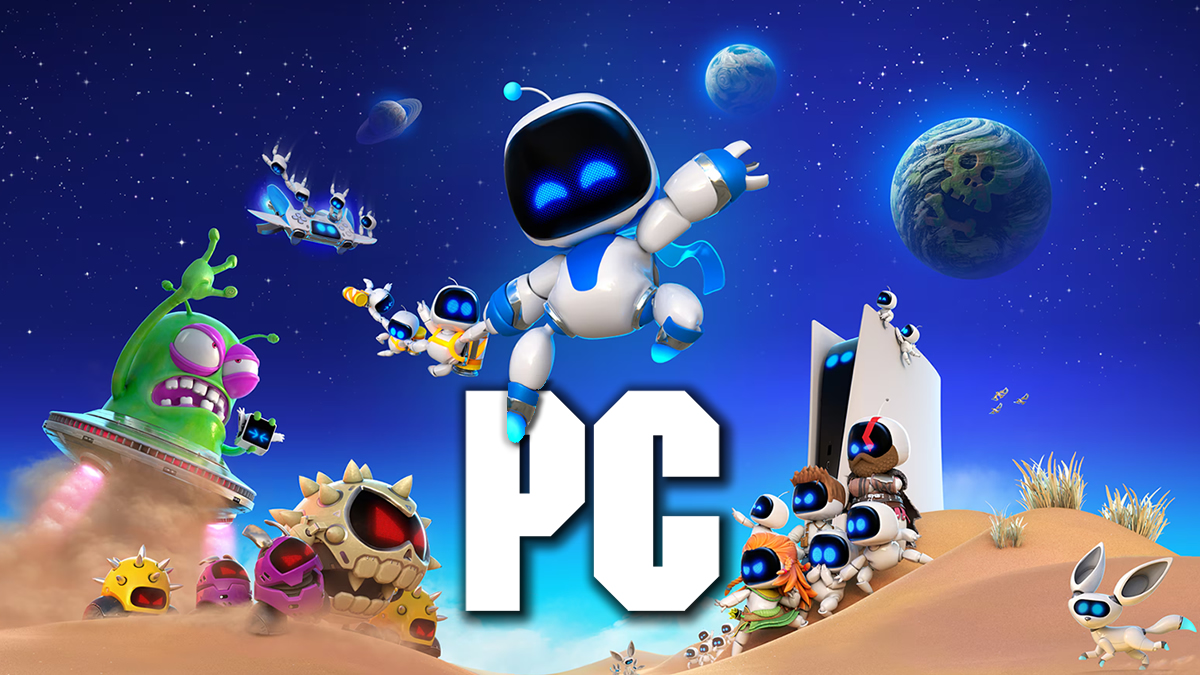
A personal research project published on GitHub has got Astro Bot running natively on Windows, with no console emulator involved. The game, a PlayStation 5 exclusive since September 6, 2024, now has an unofficial port called AstroHybrid, which uses the AnyPS5 tool to relink the game's own x86-64 code into a Windows executable and the KytyPS5 graphics stack to translate GPU work to Vulkan. On top of that, the developer added an Nvidia layer with DLSS, Frame Generation and Reflex. The story was reported on November 13, 2026, by Overclock3D and picked up by technical outlets the same week — but what exists today is a working experiment, not a finished product: it requires a decrypted dump of the game supplied by the user and comes with clear limits on performance and controls.
What the port does — and why it is not an emulator
The difference is technical and it matters. An emulator recreates a whole console in software: processor, memory, GPU and operating system are imitated instruction by instruction, and the original game runs inside that simulation. AstroHybrid takes another route. AnyPS5 relinks the code already inside the game — written for the PS5's x86-64 — into a native Windows executable, while the console's system libraries (kernel, libc, controller input, audio and save data) are reimplemented as Windows modules.
The graphics side lives in a separate component. The PS5 GPU work — AGC command buffers, shaders and video output — is handled by a stack taken from KytyPS5 and built as kyty_gpu.dll, which converts everything to Vulkan and is loaded by the native executable. That is why the project runs on any Vulkan-capable card, rather than only on AMD hardware, as happens with much of the PlayStation emulation scene.
"This is not an emulator. It is a native port."
The Nvidia layer is what is new in this build. According to the repository's documentation, the project finds the game's own temporal upscale pass at runtime and hands its inputs — colour, depth, motion vectors, jitter and camera matrices — to DLSS Super Resolution and DLSS Frame Generation through NVIDIA Streamline 2.14.16 on Vulkan. The result is an image reconstructed by DLSS on a game that was never compiled for PC, something even Sony's official ports do not usually combine in this way.
What already works today
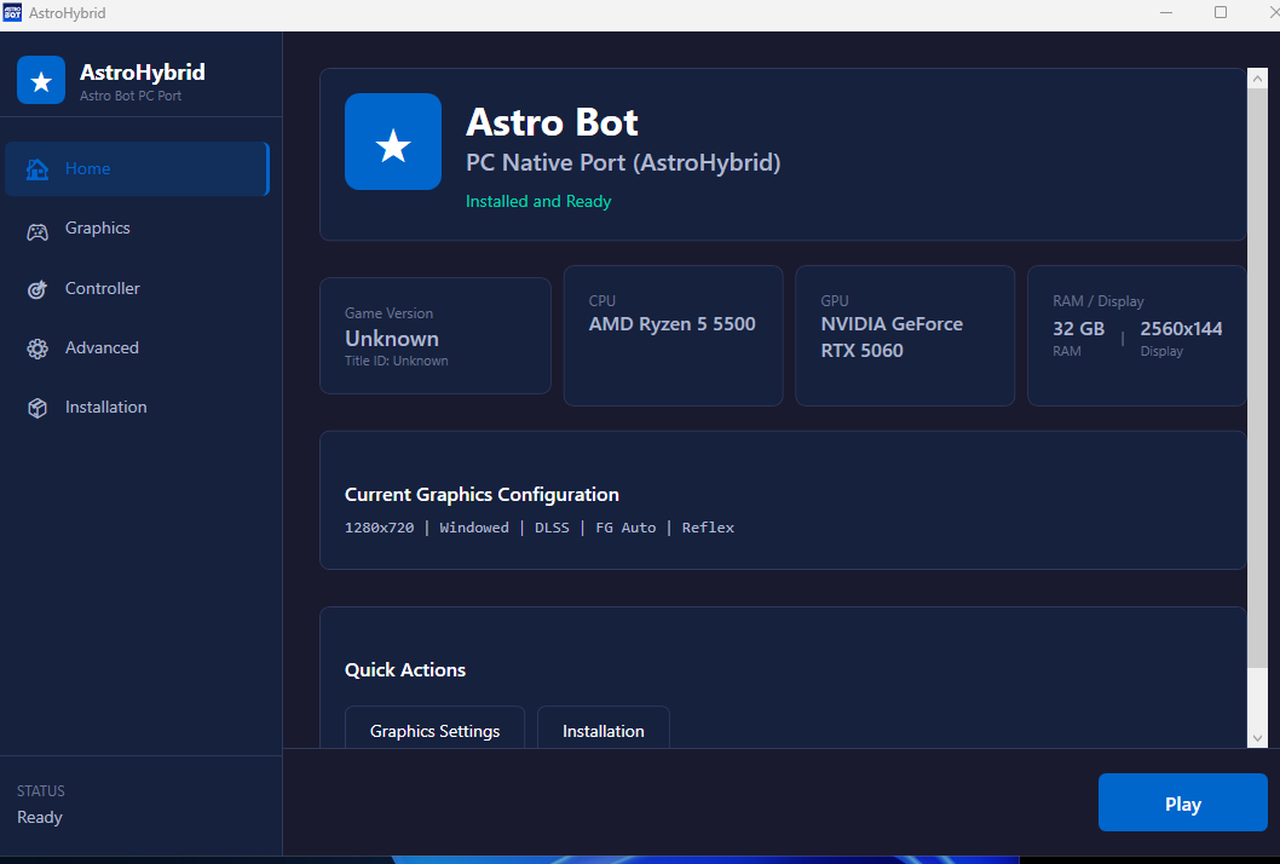
In practice, the game boots, loads levels and can be finished. The developer published real measurements on a single PC — Ryzen 5 5500, RTX 5060 8 GB, 32 GB of RAM, a 2560×1440 165 Hz display and Nvidia driver 621 — and the picture is of a port that runs but is limited by the CPU. Here are the published numbers:
| Scenario (Ryzen 5 5500 + RTX 5060) | Measured result |
|---|---|
| Sky Garden (heaviest area found) | 32–34 fps uncapped; a 30 fps cap holds |
| Hoover beach (start position) | 51–53 fps |
| Snowy canyon (start position) | 43–44 fps |
| Cymbal party land (start position) | 37–39 fps |
| Frame Generation 2x | about 63 fps on screen |
| Multi Frame Generation 4x | 124–128 fps on screen |
| Adaptive Frame Generation (60 fps target) | game at 24 fps switches to 3x, 72 fps on screen |
| DLSS Super Resolution | active on the 1920×1080 to 2432×1368 pass |
The key point is that the bottleneck is the processor, not the graphics card. In a 30 ms frame, roughly 22 ms are spent committing draws on a single thread — about 4,900 draw calls per frame. That is why lowering the resolution does not raise the frame rate, and why Frame Generation becomes the main smoothing tool. The developer also fixed the game's pacing: with the 30 fps cap it used to run at 0.50x real time; it now runs at 0.98x.
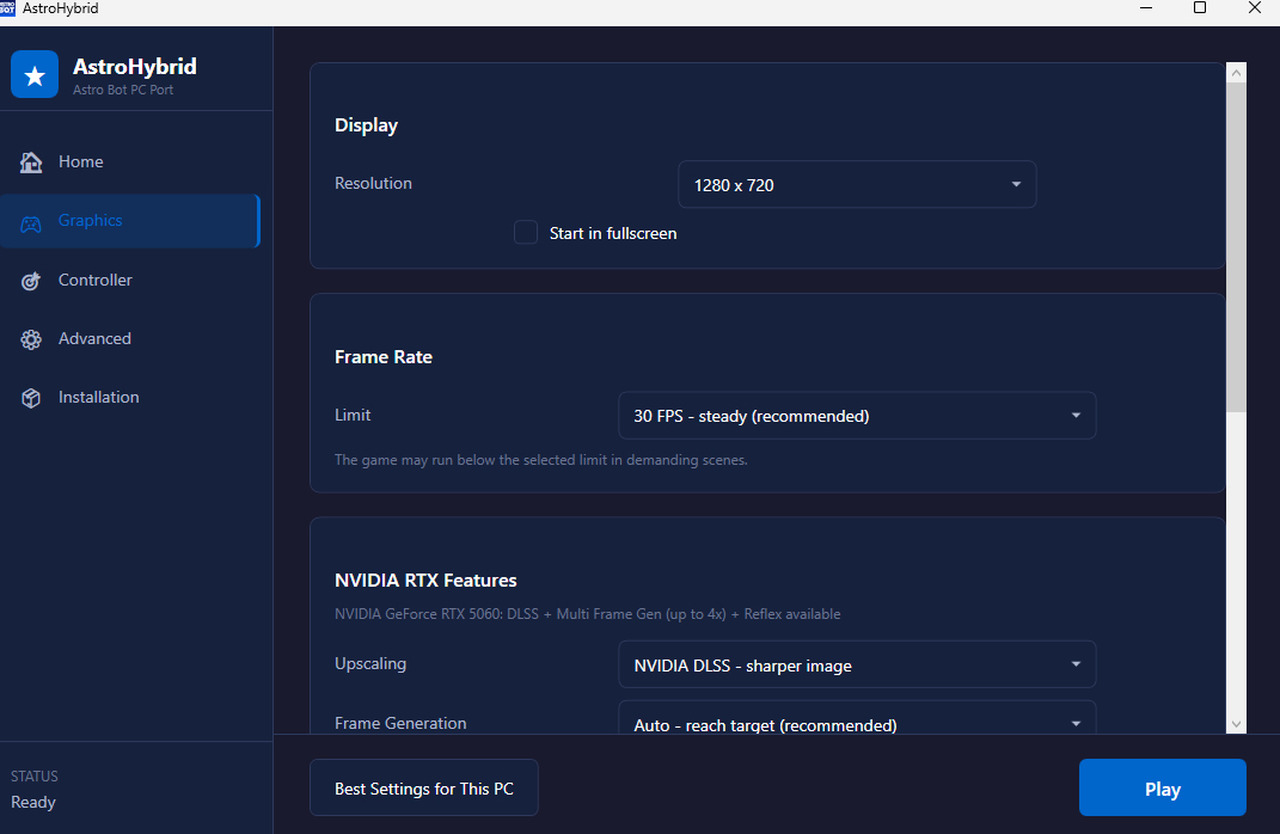
Controller support has moved forward too. The current build recognises the DualSense (with rumble, light bar, adaptive triggers and motion sensors), DualShock 4, Xbox, Switch Pro and generic pads. The pad that receives the first input becomes player 1, and rumble strength can be tuned for non-Sony hardware. The app also offers a "best settings for this PC" option that reads the graphics card, CPU, memory and display and fills everything in automatically — on RTX 50 machines, for instance, it turns on DLSS and automatic Frame Generation up to 120 fps on 120 Hz or faster screens.
What is still missing — and the known issues
The developer himself lists what does not work. The most relevant item for anyone who knows the game is the lack of motion control on pads without sensors, such as the Xbox controller: the motion hand used in specific sections does not respond, and tilt emulation using View/Back plus the right stick reached the pad library but the game did not react in the developer's test. Since the Dual Speeder — the ship used to travel between galaxies — depends on tilting the DualSense, this weighs on players without a Sony pad.
- Motion controls: unavailable on pads without motion sensors; the button-based workaround failed in testing.
- Rumble: not confirmed on third-party Switch Pro pads such as Data Frog models.
- Long black screen: with no FPS limit and Frame Generation off, the first loading screen stays black for about 35 seconds. It is not a hang; with a cap it drops to around 20 seconds.
- Latency: input latency with Frame Generation has not been measured yet.
- DLSS: the jitter sign was set by eye, without formal calibration.
- Game version: only dump 01.019.000 has been tested; other versions are accepted, but the faster-lighting patch and the real-time speed tweak switch themselves off when that version's code differs.
- Performance: about 30–34 fps in the heaviest areas on a Ryzen 5 5500, with the game CPU-limited.
There is also no support for alternative upscalers such as FSR or XeSS, nor for other frame-generation solutions. Frame Generation only works while the game window is focused and should not be combined with NVIDIA Smooth Motion. On the technical side, the project is under active development: the repository had 638 stars, 18 forks and 33 open issues on the afternoon of November 16, 2026, and the developer describes it as "work in progress, personal use".
How to try it: requirements and step by step
The download is a package of about 1 GB and contains no game files — no executable, assets, shaders or saves. The starting point is your own decrypted Astro Bot dump, with the eboot.bin, sce_module and sce_sys folders. The user provides the game material; the project only converts it on the local machine.
- Download the AstroBotPC-AstroHybrid package from the repository's releases page and extract it to a folder with about 1 GB free.
- Run AstroHybrid.exe. The assistant asks for your dump folder (you can paste the path and press "Check folder").
- Click Install. Converting to the Windows executable takes about two minutes and only reads the original dump.
- On first start, the app picks the best settings for your PC. You can change resolution, frame-rate limit, upscaling, frame generation and Reflex on the Graphics and Advanced pages.
- Press Play. To reinstall or remove what was built, use
--setup "dump folder"and--remove-game.
The stated requirements are Windows 10 or 11 64-bit and a Vulkan GPU. DLSS and Reflex need an RTX card; Frame Generation needs RTX 40 or newer; 3x and 4x multipliers need RTX 50. The DLSS runtime and the Streamline SDK are not included: you have to download them from Nvidia and place them next to the game.
Why this matters right now
The port lands at a turning point in Sony's PC strategy. As we reported on November 14, the company brought the "PlayStation Exclusive" badge back to official listings and signalled a retreat from single-player releases on PC, keeping multi-platform only for multiplayer games. Astro Bot, released on September 6, 2024 as a PS5 exclusive, never had an official PC version — and director Nicolas Doucet had already said in 2024 that a port would depend on player demand.
The game is also one of the most awarded exclusives of this generation: it holds a 94 on Metacritic, was named Game of the Year at The Game Awards 2024 and won the top categories at both the BAFTA Games Awards and the DICE Awards. According to figures reported by specialist outlets, it had sold around 4.3 million copies by June 2026. That weight is precisely what turns a fan experiment into news: for the first time, a PS5 exclusive runs natively on Windows without going through emulation.
Is it worth it? The verdict
For anyone who already owns the game, has a PC with a Vulkan GPU and is willing to tweak settings, AstroHybrid is an impressive demonstration of what reverse engineering achieved in a short time. It is not, however, a replacement for an official port: motion support is missing on common pads, smoothness depends on Frame Generation, latency has not been measured and the project can break with any update. It is also worth noting that the developer says the project uses no Sony copyrighted code and that it is neither affiliated with nor endorsed by Sony Interactive Entertainment, Team Asobi or Nvidia.
There is also a security warning worth repeating. In October, criminals used exactly this surge of interest in PS5 emulators to distribute malware on GitHub, as we reported here. Before downloading any package, check that the address is the project's official repository, that the page has a commit and release history, and that the file does not ask you to disable your antivirus. More gaming and PC scene coverage is available on O Santuário Geek.
Sources: Overclock3D; AstroHybrid repository on GitHub; PlayStation.com, official Astro Bot page.
Suggested and related articles

Sony U-turns on PC and bets on PS5 exclusives
PS5 shipments top 100 million, fourth PlayStation to do it
Sony Offers Up to $400 to Trade In Your PS5 in the US
PlayStation: End of physical media sparks 280K-signature petition as devs warn of 'end of ownership'

Barbie Rewind: the Barbie game that launched before GTA 6