Do Not Stop codes: claim 850 free credits (November 2026)
Published on · Updated on
All four active Do Not Stop codes together grant 850 Credits in Roblox. See the updated list, the redemption steps and why a code may fail.
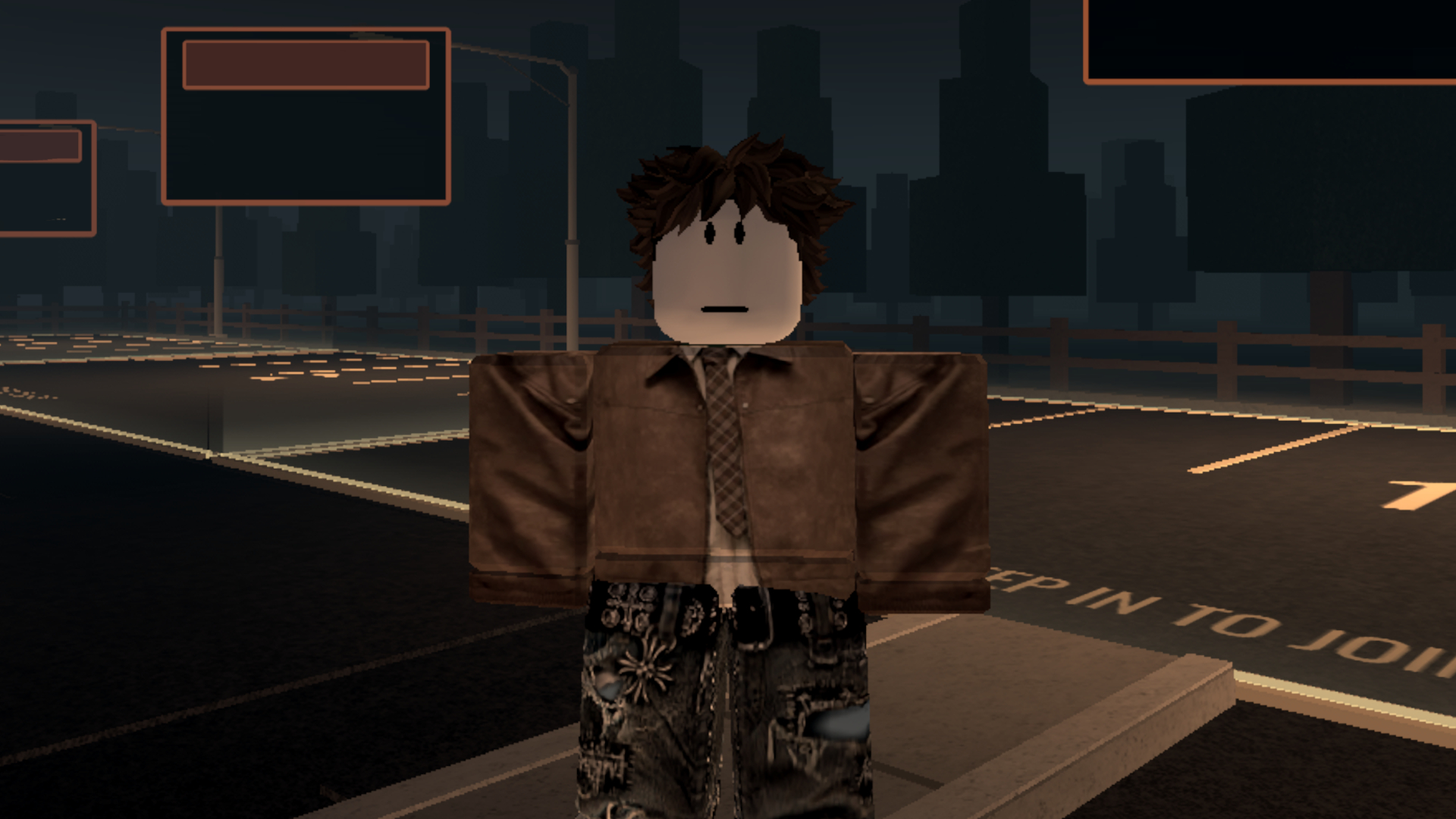
Do Not Stop. has become one of the most talked-about horror games on Roblox in recent weeks. The pitch is simple and tense: you have to keep the car moving at all costs, because something is chasing you through the dark. To give players a hand, the group make sure to drive fast, which develops the experience, keeps four active codes worth a combined 850 Credits — the currency used for cars, speed upgrades and cosmetics. All four were checked on November 14, 2026 and are still working.
The list below gathers the codes published in the game's own Roblox description and confirmed by outlets that track the title daily. There are no hidden rewards, giveaways or time-limited codes as of publication: just four simple strings, each credited to your account as soon as the redemption goes through.
All active Do Not Stop codes
These are the four working codes right now. Every reward is paid in Credits, and the amount is the same on PC, mobile or console.
| Code | Reward |
|---|---|
| LASTSTOP | 250 Credits |
| DONOTSTOP | 200 Credits |
| ROUTE1610 | 150 Credits |
| RELEASE | 250 Credits |
Together, the codes are worth 850 Credits. That is a comfortable starting balance, but keep in mind the game does not publicly list the price of every shop item: the total may cover a better car plus a few upgrades, or it may disappear into cosmetic crates, depending on your priorities. Each code can only be used once per account, so there is no way to redeem the same string twice.
How to redeem Do Not Stop codes
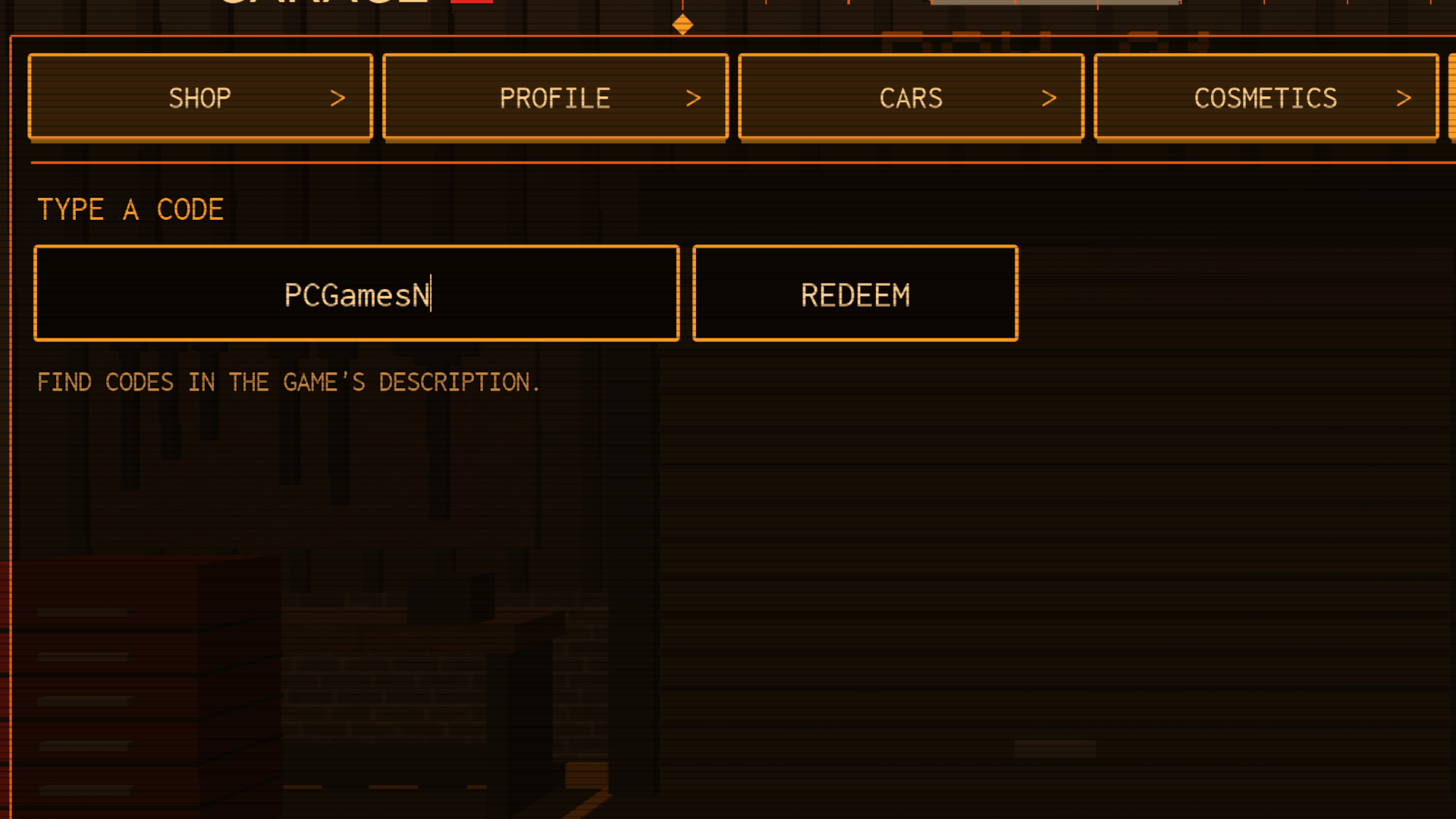
Redemption happens inside the game and takes a few seconds. The developer says codes should be typed in the lobby, following Garage > Codes. Outlets that covered the update describe the same flow with slightly different labels, because the interface has changed since launch. The steps below work in both layouts:
- Open Do Not Stop. on Roblox and wait for the lobby to load.
- Click the Garage button (or Shop, depending on your layout) at the edge of the screen.
- Select the Codes tab. On some accounts it is the fifth tab in the menu, next to Shop, Profile, Cars and Cosmetics.
- Type or paste the code into the box exactly as it appears in the table above.
- Press Redeem and check your Credits balance on the profile screen.
If the Codes tab does not show up, the most likely reason is the opening progression lock: some players only unlock the full menu after finishing their first drive. Head back to the lobby after one match and the button should appear. It is also worth making sure the game has fully loaded — incomplete menus are common on busy servers.
The code is not working. What now?
Before assuming a code has expired, check the usual suspects: spaces before or after the string, swapped letters and autocorrect changing a word. Codes are case-sensitive and do not accept hyphens. Copying and pasting straight from the list avoids typos, but some mobile browsers add an invisible trailing space — delete the last character and retype it.
What Credits are used for in Do Not Stop
Credits are the game's progression currency. They show up in two main areas of the shop: the garage, where cars and performance upgrades live, and the cosmetics section, with crates that roll skins, accessories and paint jobs for your vehicle. Players who want to survive longer usually prioritise top speed and acceleration; those who prefer to look good during the chase spend on appearance.
No code grants a permanent advantage or an exclusive item: the balance simply shortens the road to purchases any player can make with Credits earned in matches. You cannot convert Credits into Robux, and the shop does not sell codes — any site promising that is running a scam.
Why a code may stop working
- Already redeemed: each account can use a given code only once.
- Silent expiration: developers disable codes without notice, and the string simply stops crediting the balance.
- Typo: mixed-up characters such as O and zero, or an accent inserted by autocorrect.
- Wrong game: lists for Last Stop, a different Roblox title, do not work in Do Not Stop., despite the similar name.
- Server instability: at peak hours the redemption may fail; trying again a few minutes later usually fixes it.
What Do Not Stop is and why it took off
Released on October 25, 2026, Do Not Stop. is a survival and escape experience inspired by analog horror creatures and stories. The core rule is in the name: stopping is a death sentence. You speed through a night-time city, dodge obstacles and try to keep distance from the creature in the rear-view mirror, alone or alongside friends and strangers.
Improvised co-op is part of the appeal. It is common to join a server and find players organising routes, sharing cars and laughing at each other's mistakes — the same kind of chaos that turned other chase games into Roblox phenomena. On the weekend of November 14, the game was drawing almost 10,000 concurrent players, according to tracker New Game Scout, and held a 90% approval rating on Creator Exchange.
"DO. NOT. STOP. DRIVING. at any cost, or it will catch you. Do Not Stop is inspired by various analog horror creatures and stories."
— Official Do Not Stop. description on Roblox
That sentence sums up the tone of the game, which leans on constant tension rather than scripted jump scares. The developer also keeps the code list in the experience description, which makes checking easy: if a new code appears, it tends to show up there first.
Expired codes and where to find new ones
As of November 14, 2026, there were no recorded expired codes for Do Not Stop. — the four in our list have been live since launch. That is likely to change as updates roll out: the make sure to drive fast group usually shares news and rewards through the game description and community channels, especially its Discord server.
There is no confirmed official wiki or Trello board yet, so be wary of pages presenting themselves as an "official hub" and asking for a login or Robux. The most reliable source remains the game's own Roblox page, with the list replicated by specialist outlets. This article will be updated when new codes go live or when one is disabled.
Frequently asked questions
How many Credits can you get from the codes?
850 Credits in total: 250 from LASTSTOP, 200 from DONOTSTOP, 150 from ROUTE1610 and 250 from RELEASE.
Do I need to pay Robux to use the codes?
No. All codes are free and redemption requires no subscription, Robux or purchase.
Do Last Stop codes work in Do Not Stop?
No. Last Stop is a separate Roblox game. Only the strings listed in this article work in the make sure to drive fast experience.
Can I redeem codes on mobile?
Yes. Redemption happens inside the game, and the interface is the same in the Roblox app for Android and iOS.
How often do new codes appear?
There is no fixed schedule. New strings usually follow updates and like milestones, and the developer publishes the list in the game description.
If you are just starting, the smart move is to redeem all four codes at once, put most of the balance into speed and save the rest for cosmetics. And, of course, do not stop driving: that is what keeps the car — and the player — in one piece. For more Roblox guides, see the Fisch quest in The Hollow and follow our coverage in the Roblox section.
Official source: the Do Not Stop. page on Roblox. Reporting based on original research and on PCGamesN's code roundup, checked on November 14, 2026.
Suggested and related articles
Anime Zero: Roblox Codes and Rewards (October 2026)
Complete Sell Ores Gears Guide Reveals How to Multiply Profits and Speed Up Mining to the Max
Search For The Needle Codes in Roblox Grant Free Gems and Alien Chests to Speed Up Your Frantic Haystack Search
How to Master the New Rift Event in Roblox Steal An Egg and Unlock Divine Pets Earning Billions per Second
Anime Dice codes in Roblox grant free lucky spins and gems to unlock the rarest heroes free